Quiet review
Use French Audio to Text when listening out loud would be disruptive. A transcript lets you scan the message, find the main point, and respond without replaying audio repeatedly.
French audio transcription
Use VoiceNoteToText to transcribe short French audio into readable text. Select French, add your audio, and copy or download the transcript.
Upload a saved voice note, record something new, or paste a public audio link. Preview your audio, then transcribe when you’re ready.
Upload or drag your voice note here
MP3, WAV, M4A, OGG, OPUS, and WebM
Up to 10 MB · 10 minutes per clip
Your transcript will appear here after you transcribe your audio.
A quick transcript is useful when listening again is slow, noisy, or inconvenient.
What to expect from your audio and the result.
Convert a French voice note or short recording into written text. French is already selected in the converter, so you can upload, preview, and transcribe without finding the language setting first.
Use an MP3, WAV, M4A, OGG, OPUS, or WebM recording up to 10 MB and 10 minutes. Public audio URLs work through From Link; saved messaging-app audio works through Upload.
Review accents, proper names, dates, and numbers in the output. This page is for French speech transcription; it does not offer a separate French-to-English translation workflow.
The process is intentionally simple: choose an audio source, transcribe it, then use the text.
Save, record, or locate the French audio you are allowed to process.
Upload the file, record in the browser, or paste a supported public audio link.
Select the closest supported language or use auto detect when uncertain.
Check important details, then copy or download the transcript.
A few everyday ways to use your audio.
Use French Audio to Text when listening out loud would be disruptive. A transcript lets you scan the message, find the main point, and respond without replaying audio repeatedly.
Text is easier to search, quote, paste into tasks, and organize. This helps students, support teams, creators, researchers, and business owners turn spoken updates into usable notes.
After transcription, pull out dates, requests, action items, names, and questions. The transcript becomes source material for a cleaner summary rather than the final record by itself.
Practical ways to get a transcript that is easier to review.
Clear speech, low background noise, and a steady speaking pace improve transcript reliability. If a voice note is too noisy, ask for a clearer recording when the content matters.
Short clips are easier to upload, retry, read, and correct. If the recording is long, trim it around the section you need before transcription.
Do not paste transcripts into client work, public posts, or official notes without review. Proper names, numbers, and specialized terms deserve a second listen.
Ideas for turning spoken audio into something useful.
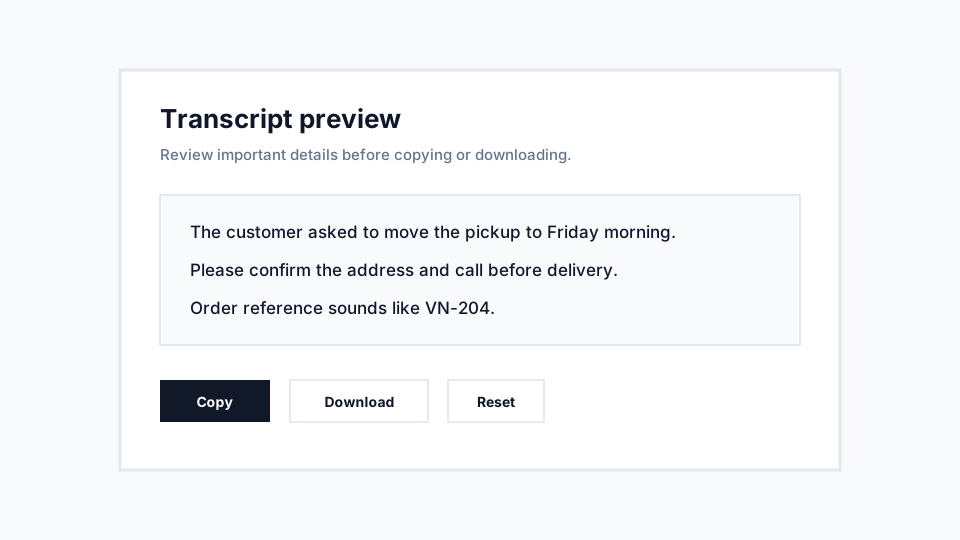
Input: a short French audio clip with a customer request. Transcript outcome: readable text that can be checked for order details, copied into a support note, and assigned to the right follow-up task.
Input: a quick explanation or reminder. Transcript outcome: a text draft that can be rewritten into cleaner notes, flashcards, or a task list.
Input: a spoken draft recorded while moving quickly. Transcript outcome: rough text that can become an outline, caption, script note, or article section after editing.
Help with formats, supported sources, and your next step.
Practical notes about using VoiceNoteToText for this workflow.
Use French for short voice notes, recordings, and supported audio links where the main speech is in French.
The same converter supports saved audio files, fresh microphone recordings, and direct audio links when the file format is supported.
The language selector currently supports English, English (Nigeria), Nigerian Pidgin English, Ghanaian Pidgin English, Hindi, Portuguese, Spanish, and French, plus auto detect for mixed or uncertain audio.
When to use auto detect and when to choose a specific supported transcription language.
8 min readHow to handle audio where speakers switch between languages or dialects.
7 min readLearn the practical audio-quality factors that affect transcript reliability.
10 min readConvert supported audio files such as MP3, WAV, M4A, OGG, OPUS, and WebM into readable text.
Use audio converterRecord a short microphone clip in the browser and turn the recording into text.
Record audioTurn saved voice messages from common messaging apps into searchable text.
Convert voice messagesRelated VoiceNoteToText resource.
Open resource